Choosing Between Multiple Profiles
Preferis lets you select multiple candidate profiles to use when a rule matches.
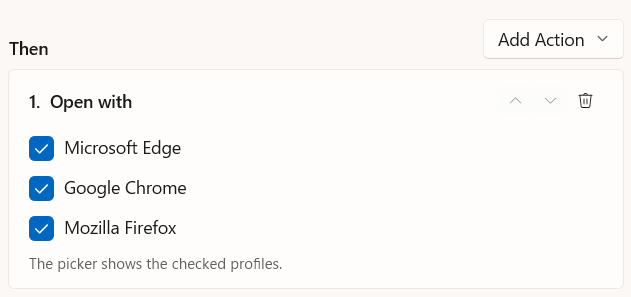
When you open a URL that matches a rule with multiple profiles, the profile picker appears. In the picker, you can choose any of the candidate profiles to open the URL with.
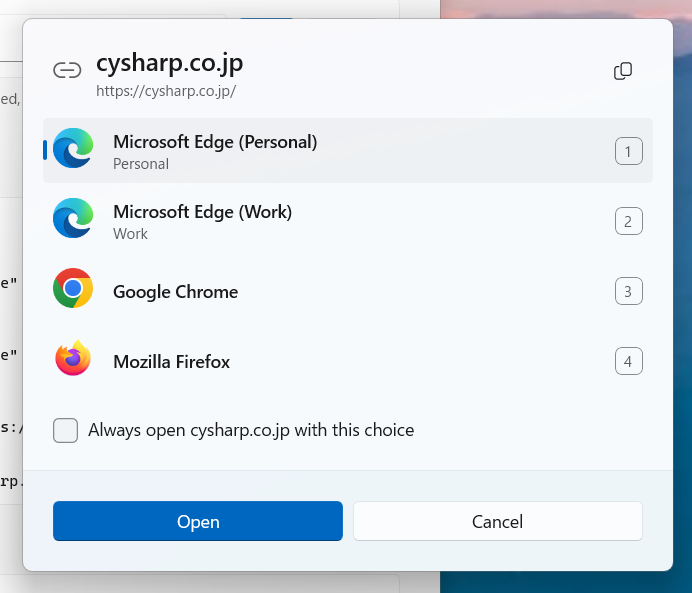
Profiles appear in the picker in the same order as on the Profiles settings page. To change the order, drag and drop profiles in the list on the Profiles settings page.
Select Always open <domain> with this choice before opening the URL to automatically add a rule for that domain.
Settings
Select General in the settings sidebar and use the Picker section to customize its behavior.
Position
Choose where the picker initially appears:
- Near the pointer (default): Appears at the mouse pointer's location.
- Center of the screen: Always appears in the center of the screen.
Choose automatically after
Set the number of seconds before the picker automatically chooses a profile and closes. A value of 0 disables this feature (the default).
When the time elapses, the URL opens with the profile currently selected in the picker. The first profile is selected by default.