Importing Rules from CSV
If you have many rules to add, you can import them in bulk from a CSV file. Click the button for adding rules, choose Import from CSV…, and select a CSV file.
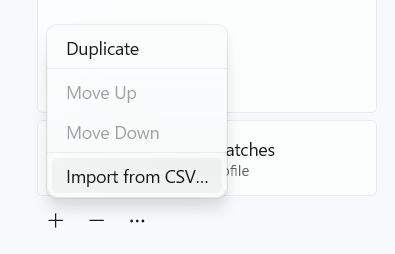
The first column contains the pattern, and the remaining columns contain profile names. The following is an example CSV file that Preferis can import.
Pattern,Profile name
https://www.example.com,Personal
https://*.slack.com,Work
*.microsoftonline.com,Work
https://github.com/dotnet/*,Work
https://github.com/mayuki/*,Personal
localhost:3000,Work
/^https?://docs\.example\.com/,Personal,Work
www.example.com,Personal,Work
| Pattern | Profile name | Profile name 2... |
|---|---|---|
| https://www.example.com | Personal | |
| https://*.slack.com | Work | |
| *.microsoftonline.com | Work | |
| https://github.com/dotnet/* | Work | |
| https://github.com/mayuki/* | Personal | |
| localhost:3000 | Work | |
| /^https?://docs.example.com/ | Personal | Work |
| www.example.com | Personal | Work |
Patterns starting with http or https are imported as URL patterns. Other patterns match the host name (domain name). Patterns use wildcard matching by default.
If you specify multiple profile names, the imported rule has all of those profiles selected for use when it matches.